

Google Analytics 4 is a powerful tool that has changed the way many businesses look at their data. It offers real-time information, which means you can see what’s happening on your website right at this moment. This is super helpful for understanding who is visiting your site, what pages they’re looking at, and what actions they’re taking.
However, while this real-time data is a fantastic feature, it’s not perfect. There are some limitations you should know about if you’re planning to rely solely on this type of data for making important business decisions.
In this blog, we’re going to talk about why real-time data is both good and not-so-good. We’ll explore what you can and can’t do with it, so you can use GA4 in the best way possible for your business.
Looking for an agency with expert guidance in Google Analytics 4 and a track record of delivering real results? Look no further than Goodish Agency, where you can hire our services. Explore our GA4 expertise.
Table of Contents
1. What is Real-Time Data?
2. The Benefits of Real-Time Data
3. Limitation 1: Lack of Historical Context
4. Limitation 2: Not Ideal for Complex Analysis
5. Limitation 3: Potential for Inaccuracy
6. Limitation 4: Can Lead to Impulsive Decisions
7. Limitation 5: Limited Metrics
8. How to Overcome Limitations
9. Conclusion
What is GA4 Real-Time Data?
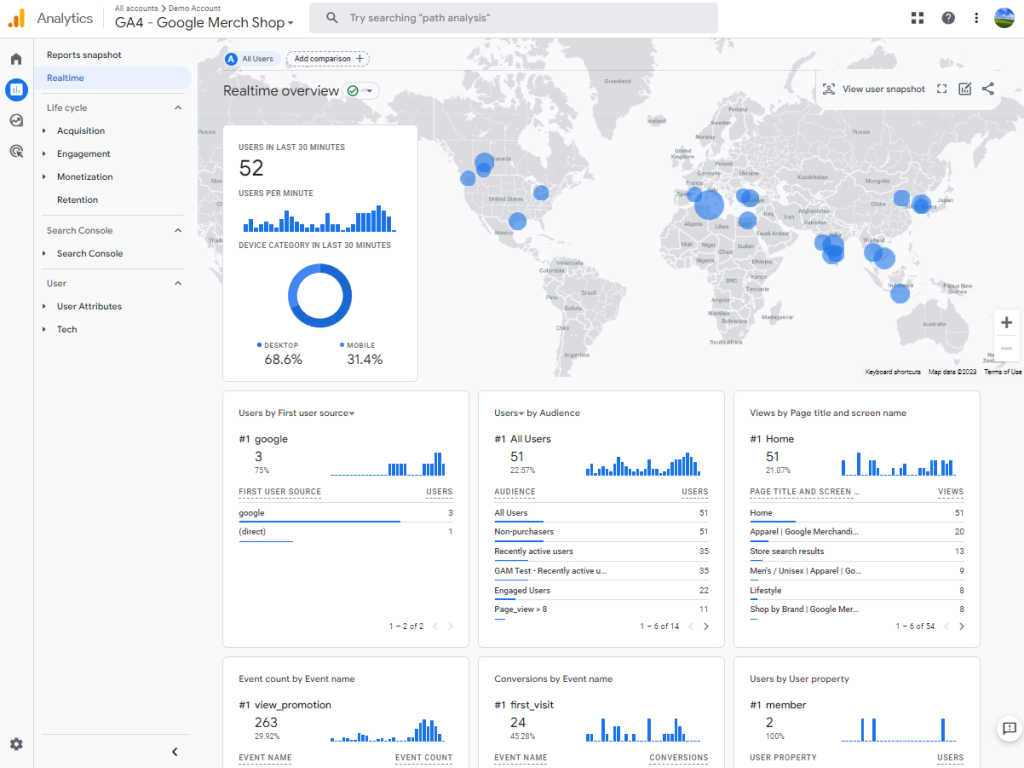
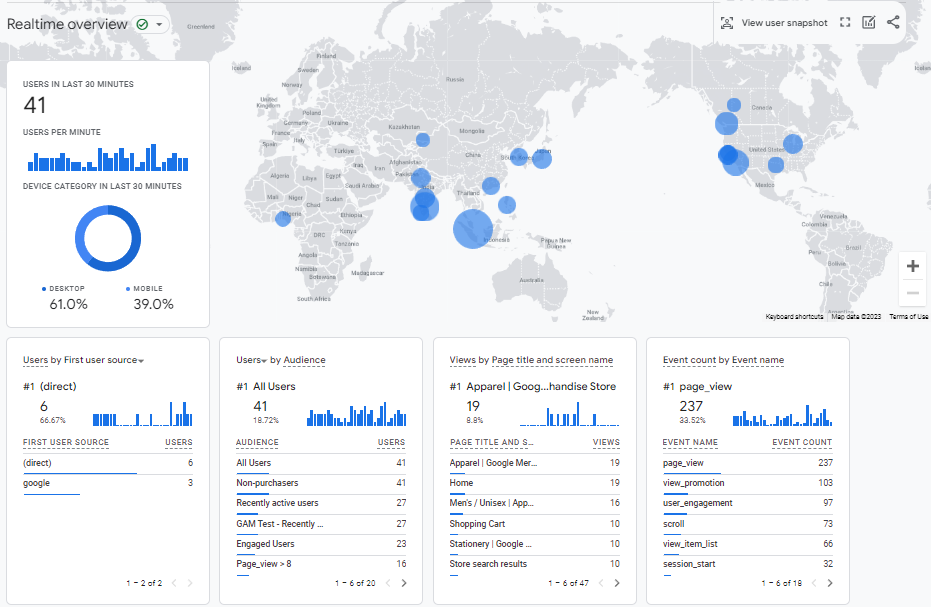
First, let’s clarify what real-time data means in the context of Google Analytics 4, also known as GA4. Real-time data provides immediate updates on user behavior on your website. As soon as someone visits your site, clicks on a link, or makes a purchase, GA4 shows you this activity as it occurs.
This feature is valuable because it offers a direct view into your website’s activity at any given moment. You can see if visitors are engaging with new content, exploring newly launched products, or interacting with specific features on your site.
This immediate feedback can be crucial for understanding your audience and making timely decisions.
However, while real-time data offers many advantages, it also has its limitations, which we will discuss in the following sections.
The Benefits of Real-Time Data
Real-time data is a powerful tool when you need to make decisions quickly. Let’s say you’ve just started a new marketing campaign. With real-time data, you don’t have to wait to see if it’s working. You can check the results immediately. Are people clicking on your ads? Are they visiting the new product page you’re promoting? You’ll know right away.
This instant feedback is incredibly useful. If you see that something isn’t working as well as you’d hoped, you can make changes on the spot. Maybe you need to tweak your ad’s wording, or perhaps the webpage you’re sending people to isn’t as engaging as it should be. Either way, you can make quick adjustments to improve the campaign’s performance.
So real-time data helps you understand what’s happening on your website at that very moment. It allows you to be more flexible and responsive, making sure you get the most out of your marketing efforts.
Limitation 1: Lack of Historical Context
Real-time data is great for showing you what’s happening on your website right now. But one big problem is that it doesn’t give you any information about what happened in the past.
Imagine you’re looking at the number of people visiting your website today. That’s useful, but without knowing how many people visited last week or last month, it’s hard to tell if today is a good day or a bad day.
This is a big deal when you’re trying to make plans for the future. Let’s say you’re thinking about running a big sale next month. To plan it well, you’d want to know how similar sales have done in the past. Have they attracted more visitors to your site? Have they actually led to more sales?
Real-time data can’t answer these questions for you because it doesn’t include past information.
Limitation 2: Not Ideal for Complex Analysis
Real-time data gives you quick information, but it’s not the best for understanding details. Let’s say you want to understand how your customers go from first visiting your website to actually buying something.
This is known as the “customer journey,” and it often involves several steps. Maybe they first read a blog post, then sign up for your newsletter, and finally make a purchase after receiving a promotional email.
The problem is, real-time data only shows you what’s happening right now. It won’t show you the whole journey that led someone to make a purchase. You won’t see the steps they took along the way, like reading that blog post or signing up for the newsletter.
This makes it hard to understand what’s really driving people to buy from you, which is crucial information if you want to improve your sales.
Limitation 3: Potential for Inaccuracy
This kind of data is quick and shows you what’s happening on your website right now. But sometimes, what you see can be misleading. For example, you might notice a sudden increase in people visiting your site. While it’s tempting to think your latest marketing effort is a hit, be cautious.
This spike could be caused by bots, which are automated programs that can visit your site but are not real customers. These bots can throw off your data, making it look like you have more human visitors than you actually do.
So, real-time data is good for a quick look, but it’s always a good idea to double-check to make sure what you’re seeing is correct.
Limitation 4: Can Lead to Impulsive Decisions
Because this data gives you immediate information about what’s happening on your website, this immediacy can make it tempting to make quick decisions. For example, if you notice a sudden increase in visits to a certain product page, you might be inclined to immediately adjust your marketing strategy to focus more on that product.
But making decisions too quickly can sometimes backfire. What looks good in the short term might not be the best choice for your business in the long run. So, while real-time data is useful for quick updates, it’s important to take your time and think things through before making big decisions.
Limitation 5: Limited Metrics
In GA4, real-time data shows you some basic things right away, such as how many people are on your website and what pages they are looking at. However, it doesn’t give you all the details you might want to know. For example, you can’t see more detailed information like how long people stay on each page or what path they took through your website before making a purchase.
This lack of detailed metrics means you might miss out on important insights that could help you understand your customers better. So, while real-time data is useful for some things, it’s not the best choice for getting a full understanding of your website’s performance.
How to Overcome Limitations
We’ve talked a lot about the limits of real-time data in GA4. But don’t worry, there are ways to get around these issues and make the most out of your analytics. Let’s go through some solutions.
Combining Real-Time and Historical Data
One of the biggest problems with real-time data is that it only shows you what’s happening right now. It doesn’t tell you anything about what happened yesterday, last week, or last year. But you can fix this by looking at both real-time and historical data together.
By doing this, you can get the benefits of both immediate and long-term insights. You can see what’s happening now and also understand how it fits into the bigger picture. For example, if you see a spike in website visits today, you can compare it to what’s typical for your site. This can help you figure out if today is really a special day or just a normal one.
Using Additional Tools for Complex Analysis
Real-time data is not the best for understanding complicated things, like how a customer decides to make a purchase over time. But you can use other tools alongside GA4 to track this.
For instance, you could use customer relationship management (CRM) software to keep track of how individual customers interact with your business over time. This can give you the detailed information that real-time data can’t.
Double-Check for Accuracy
We mentioned that real-time data can sometimes be wrong, like when bots visit your site. A simple way to deal with this is to double-check your data.
If you see something surprising in your real-time data, don’t jump to conclusions. Take a little time to make sure it’s accurate. You can do this by looking at other data points or using additional tools to verify what you’re seeing.
Think Before You Act
Real-time data can make it tempting to make quick decisions. But remember, what seems like a good idea now might not be the best in the long run. So, take your time. Think about how any changes you make will affect your business in the future, not just today.
Look for Detailed Metrics Elsewhere
GA4’s real-time data might not give you all the details you want. But you can find this information in other parts of GA4 or even in other analytics tools.
For example, if you want to know how long people are staying on each page of your website, you can find this in GA4’s standard reports, not the real-time section.
Conclusion
Google Analytics 4 (GA4) has revolutionized the way businesses approach data analytics by offering real-time insights. This feature is incredibly useful for immediate decision-making and understanding your audience’s behavior as it happens. However, it’s crucial to be aware of its limitations, from the lack of historical context to potential inaccuracies.
We’ve explored various ways to overcome these limitations, such as integrating real-time data with historical data for a more comprehensive view, or using additional tools for complex analysis.
The key takeaway is that while real-time data is a powerful tool, it should not be the only resource you rely on for making important business decisions.
By understanding both the strengths and weaknesses of real-time data in GA4, you can employ a more balanced and effective approach to your analytics strategy. This will enable you to make well-informed decisions that can drive your business forward, both in the short term and in the long run.
Thank you for reading, and we hope this blog has provided you with valuable insights into making the most out of Google Analytics 4.
We at Goodish agency are experts in digital marketing and we can help you to utilize AI to reduce your costs and boost your performance. Read more about our services.