A GoHighLevel setup that scales starts with the data model and the compliance plumbing, not with funnels. Define your custom fields and pipelines first, authenticate your sending domain and register for A2P 10DLC before any SMS goes out, then build a small set of core workflows, package the finished account as a snapshot, and connect outside systems through the API with proper retries. Agencies that resell the platform add white-label SaaS mode on top.
A note on where we stand: most of our CRM rebuilds are in Zoho (we’re a Zoho Authorized Partner), HubSpot and Pipedrive. The architecture principles below are the ones we apply in every CRM; for GoHighLevel-specific menus and limits, check HighLevel’s current documentation, because the platform changes often.
Is GoHighLevel the right CRM, or would HubSpot fit better?
GoHighLevel is built for agencies and local or service businesses that want CRM, SMS, email, calendars, funnels and reviews in one place, often managed for many clients. HubSpot is built for a single company’s marketing, sales and service teams, especially in B2B.
| GoHighLevel | HubSpot | |
|---|---|---|
| White-label | Yes: your brand, your domain, a branded mobile app on higher plans | No |
| Many client accounts | Sub-accounts under one agency account; how many depends on the plan | One portal per company |
| Pricing shape | Plan price plus usage-based charges for SMS, calls, email and AI, which agencies can rebill | Tiers that scale with seats and marketing contacts |
| Strengths | SMS-first follow-up, missed-call text-back, reviews, calendars, snapshots | Mature B2B CRM, reporting, sales tooling, ecosystem |
| Typical fit | Marketing agencies, local services, franchises, coaches | B2B companies with dedicated sales and marketing teams |
How should you design the data model and pipelines?
Before importing a single contact, decide what you store and where:
- Custom fields, grouped and typed. Put fields in folders (for example “Firmographics”, “Onboarding”, “UTM data”) and use dropdowns and radio buttons instead of free text wherever workflows will branch on the value. Duplicate or free-text fields are what break automations later.
- Tags for states, not for everything. Use tags for things workflows react to (“no-show”, “review-requested”), not as a second filing system.
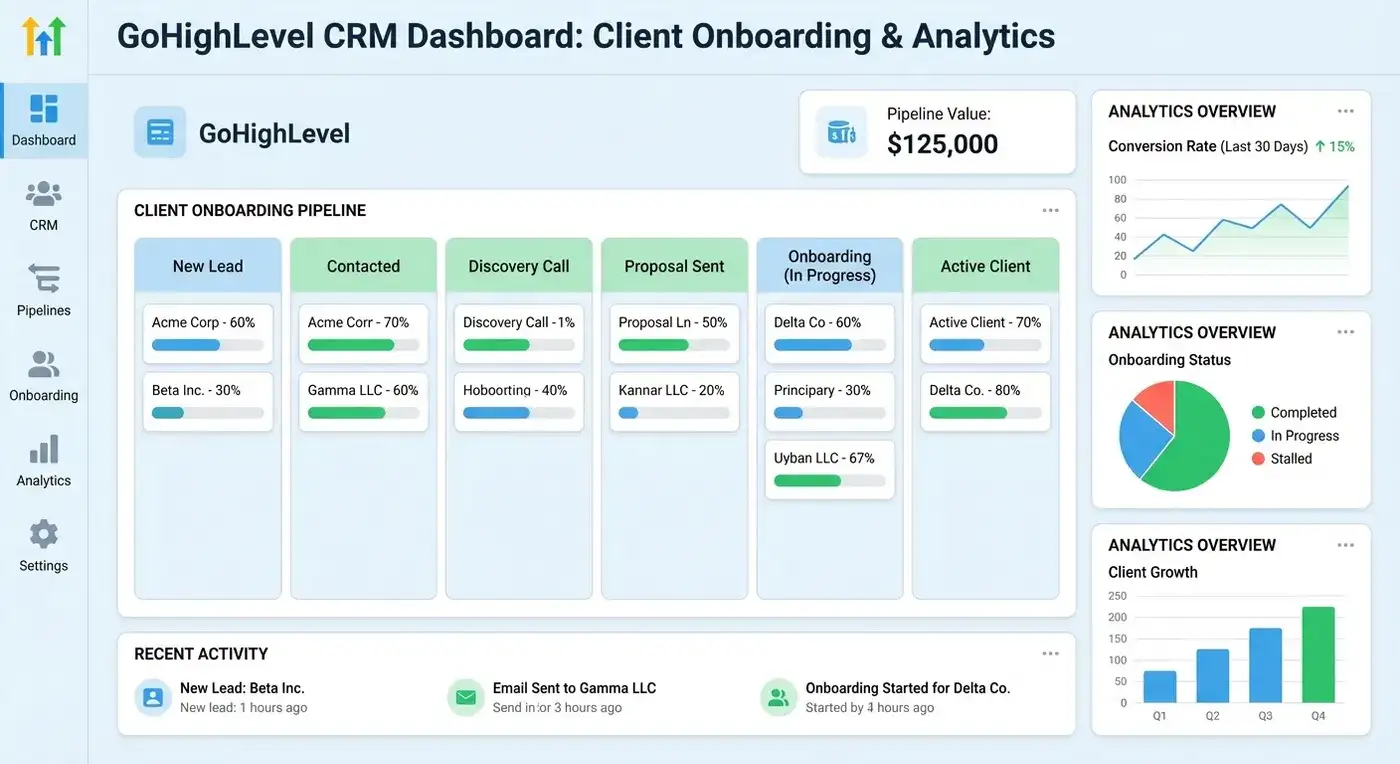
- Pipelines as state machines. Each stage should be a real, distinct step in the sales or delivery process, with a clear rule for entering and leaving it. Automations fire on stage entry: a task for the rep, a sequence for the contact, a notification for the manager.
- Hidden attribution fields. Capture UTM source, medium and campaign (and click IDs where you use them) in hidden form fields mapped to the contact, so every opportunity can be traced back to the ad that produced it.
Fewer pipelines and fewer required fields almost always work better. It’s the same rule we apply in every CRM rebuild.
What do you need for email deliverability and SMS compliance?
- Email authentication. Send from a dedicated subdomain and set up SPF, DKIM and DMARC for it, whichever sending service you use (HighLevel’s own LeadConnector email or an external provider such as Mailgun). Start DMARC at monitoring and tighten it to
quarantineorrejectonce reports are clean. - A2P 10DLC for US SMS. Business texting over US local numbers requires registering your brand and each messaging campaign through the carrier registration process, which HighLevel handles in its phone system settings. Unregistered traffic gets filtered or blocked.
- Consent and opt-outs. Keep proof of SMS consent on the contact record and make sure STOP replies are honoured automatically.
What are the core GoHighLevel workflows?
Every workflow has three parts: a trigger (form submitted, call missed, stage changed, appointment booked), conditions (if/else branches on fields, tags or time) and actions (send SMS or email, create a task, move the opportunity, update a field, call a webhook).
The workflows that pay back in almost every account:
- Speed to lead: a new form or ad lead gets an immediate SMS and email, and the right rep gets a task and a notification.
- Missed-call text-back: an unanswered call triggers a text asking how you can help.
- Appointment confirmations and reminders by SMS and email, plus a follow-up after the meeting.
- Stage-based tasks: moving an opportunity creates the next task with a due time, so nothing waits on memory.
- Review requests after a completed job, with unhappy responses routed to a person instead of a public review site.
- Reactivation: a periodic campaign to old leads and past customers, stopped as soon as someone replies.
- Client onboarding: welcome message, intake form and kickoff booking when a deal is won.
How this looks by niche:
| Niche | Core features | Workflows to build first |
|---|---|---|
| Local services (HVAC, plumbing, dental) | Missed-call text-back, calendars, reviews | Missed-call text-back, reminders, review requests |
| Real estate | Pipelines, SMS, forms for buyer preferences | Speed to lead, new-listing alerts, reactivation |
| Coaches and course creators | Calendars, memberships, payments | Booking reminders, onboarding, payment follow-up |
| B2B services and agencies | Pipelines, tasks, reporting | Speed to lead, stage-based tasks, onboarding |
Use custom values for anything that repeats across workflows and templates: business name, booking link, support phone, review link. Change it once and every message updates. This is also what makes snapshots reusable.
Don’t over-automate. If every stage fires three messages, contacts tune out and opt out. Some moments, such as a lost deal or a complaint, deserve a person.
How do snapshots work, and how should you version them?
A snapshot copies a sub-account’s configuration (pipelines, workflows, custom fields and values, calendars, funnels and templates) so you can load it into another sub-account. It’s how agencies onboard clients in hours instead of rebuilding each account by hand.
Treat snapshots like software releases:
- Keep a master sub-account used only for building and testing, with no live client data or billing.
- Name versions clearly, for example
HomeServices_v2.1, with a short changelog: what changed and which accounts have it. - Check before pushing updates to live accounts. Updating an existing account can overwrite or duplicate workflows and fields the client has customised. Review what the update touches, and test it on a copy first.
How do you connect GoHighLevel to other systems?
Native integrations cover common tools. For everything else there are webhooks and the API.
- Webhooks: an inbound webhook trigger lets an outside system start a workflow; the webhook action sends data out when something happens in GoHighLevel.
- API: use HighLevel’s current API (v2) with OAuth 2.0 for apps that serve many accounts, or a private integration token for a single account, rather than legacy API keys. The main resources are contacts, opportunities, conversations and calendars.
- Middleware: we connect CRMs to other systems through n8n, which handles transformation, logging and retries in one place.
Build for failure from day one. When the API returns HTTP 429 (rate limit) or a 5xx error, retry with exponential backoff (wait one second, then two, then four), stop after a set number of attempts, and park the failed payload somewhere a person will see it, rather than dropping it silently. Make writes idempotent, so a retry updates the record instead of creating a duplicate.
Where should AI sit in GoHighLevel workflows?
AI is useful for drafting replies, summarising conversations, qualifying leads from free-text answers and writing first drafts of sequences. It is also confidently wrong at times, and in an SMS-first system a wrong message goes straight to a customer’s phone.
Our rule, in GoHighLevel or anywhere else: AI drafts, a person approves. The draft lands as an internal task or in a review queue, and only approved text is sent. You can relax that later for low-risk steps, deliberately. We explain the pattern in human-in-the-loop: the secret to safe AI automation.
What does GoHighLevel SaaS mode involve?
SaaS mode lets an agency resell GoHighLevel under its own brand: your domain (for example app.youragency.com), your logo, your pricing plans, and automatic creation of a sub-account when a customer signs up. It’s available on HighLevel’s higher agency plan.
Plan three things before launching it:
- Tiers that differ in clear ways, for example core CRM and messaging; plus workflows and websites; plus integrations and support.
- Usage rebilling for SMS, calls, email and AI, so heavy users don’t eat your margin.
- Support load. Selling software means answering software questions. Budget for onboarding and help content before you sell.
How do you keep workflows healthy?
Review every workflow on four points at least quarterly:
| Check | What to look at | Fix when it’s weak |
|---|---|---|
| Reliability | Failed actions, webhook errors, contacts stuck in a step | Add failure branches and alerts; test integrations after changes |
| Outcome | Bookings, replies or revenue linked to the workflow | Rewrite, shorten or retire it |
| Speed | Time from trigger to first contact | Remove unnecessary waits; simplify triggers |
| Maintainability | Naming, folders, notes, duplicate workflows | Consistent names, one workflow per job, short notes on each |
How do you measure what GoHighLevel is producing?
Tie every opportunity to its source and its value. With UTM fields on the contact and won deals carrying a real amount, you can report cost per lead and revenue by channel inside the CRM. The next step is sending closed-won deals back to Google Ads and Meta as offline conversions, so the ad platforms optimise for customers instead of form fills; see offline conversions via the GA4 Measurement Protocol.
That loop between CRM and ads is where the money is. For iSoftpull, connecting Meta and Google Ads to product-usage data took cost per qualified lead from $205.41 to $25.84 between late 2024 and early 2026 (the iSoftpull case).
Who should build your GoHighLevel system?
- A GoHighLevel specialist builds individual workflows, forms and funnels inside an agreed design. Right for adding to a working system.
- A GoHighLevel expert handles domains, deliverability, A2P registration, integrations and migrations. Right when things break or need connecting.
- A CRM consultant or architect designs the data model, pipelines, snapshot strategy and reporting. Right before you build, or when the account has become a tangle.
FAQ
Is GoHighLevel a good CRM for B2B companies?
It can be, especially for B2B services with short sales cycles and lots of phone and SMS follow-up. Companies with long, multi-stakeholder sales cycles and dedicated sales teams are often better served by HubSpot, Zoho or Pipedrive.
Can GoHighLevel integrate with n8n?
Yes. n8n can receive GoHighLevel webhooks and call its API, which lets you connect GoHighLevel to tools without a native integration and keep logic, logging and retries in one place.
What is a GoHighLevel snapshot?
A saved copy of a sub-account’s configuration, including pipelines, workflows, custom fields, calendars, funnels and templates, that you can load into other sub-accounts. It’s the standard way to roll out the same setup to many clients.
Do I need A2P 10DLC registration to send SMS from GoHighLevel?
For business texting to US numbers from local (10-digit) numbers, yes. Register your brand and campaigns before you launch SMS workflows, or messages are likely to be filtered or blocked.
If you’re deciding between GoHighLevel and another CRM, or need an existing account untangled, talk to us.