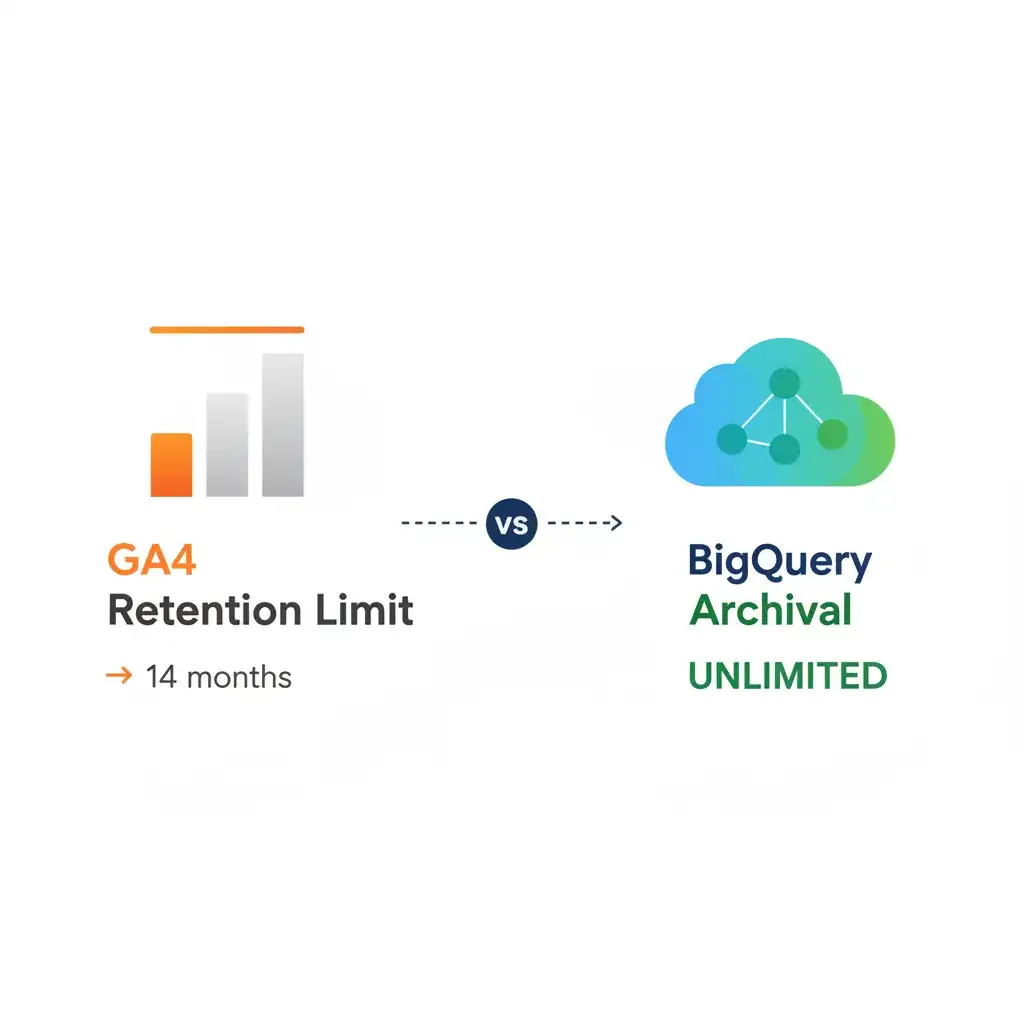
GA4 Data Retention refers to the period for which Google Analytics 4 stores individual user and event-level data. While GA4’s native reporting interface provides valuable insights, its maximum 14-month data retention limit for raw event data often presents a significant challenge for advanced historical analysis. Let’s be honest, hitting that 14-month data retention wall in GA4 can feel like a real roadblock. But instead of viewing this as a constraint, expert analytics practitioners recognize it as a strategic catalyst. This perspective empowers them to build a superior, expert-level data governance framework, creating capabilities for long-term analysis that far surpass what native GA4 offers. For a deeper dive into modern analytics architecture, consult Goodish Agency’s comprehensive guide to GA4 consulting, mastering generative engine optimization.
⚡ Key Takeaways
- GA4’s 14-month data retention limit isn’t a flaw, it’s a driver for proactive data governance.
- BigQuery export is crucial for preserving raw GA4 event data for long-term historical analysis.
- Strategic schema design and cost management in BigQuery are crucial for sustainable, deep insights.
The GA4 14-Month Retention “Challenge”: An Expert’s Opportunity
For many, the 14-month retention ceiling in GA4 for user and event-level data feels like an abrupt wall. It directly impacts your ability to conduct year-over-year (YOY) comparisons directly within the GA4 interface for raw, granular data. This isn’t just about losing page view counts; it’s about losing the granular event sequences, user paths, and detailed attribute data essential for sophisticated analysis. This limitation, often seen as a problem, is actually an invitation for analytics experts to take full control of their data.
Beyond the Basics: What the 14-Month Limit Really Means for Advanced Analysis
At its core, the 14-month limit means that after this period, you can no longer query individual events or user interactions within GA4’s Exploration reports. Aggregated data, like those found in standard reports (e.g., page views, sessions), generally persists longer. However, the true power of GA4 lies in its event-driven model and the ability to explore granular interactions. Lose this detail, and you cripple your ability to track long-term trends. You’ll struggle with cohort analysis spanning multiple years. And understanding the historical impact of seasonal campaigns or algorithm updates? That becomes nearly impossible. Without a strategy, your analytics depth becomes shallow and reactive.
Why Generic Advice Fails: The Need for Proactive Data Governance
Many discussions around GA4 retention stop at merely explaining the limit. This generic advice offers no actionable path for experts who rely on multi-year data for strategic decision-making. Relying solely on GA4’s default settings means sacrificing the historical context vital for understanding customer journeys, market shifts, and product performance over time. Proactive data governance isn’t about patching a problem; it’s about building a robust, independent analytics infrastructure that serves your specific business intelligence needs, regardless of a platform’s native limitations.
The Expert’s GA4 Data Retention & Archival Strategy Flowchart
Navigating GA4 data retention requires a clear roadmap. The Goodish Agency’s Expert’s GA4 Data Retention & Archival Strategy Flowchart guides decision-making. This proprietary framework helps you determine when and how to export data based on its type (raw event vs. aggregated summaries) and your specific analytical needs. It prompts questions like: Do you need raw user journey data for a 5-year trend analysis of a specific product category? Is a monthly aggregated snapshot sufficient for a regional performance report? The flowchart outlines the path from GA4 to BigQuery, detailing schema considerations for different analyses, such as year-over-year SEO performance or geographical trend identification, ensuring data integrity for long-term insights.
Decoding GA4 Data Retention Settings: What You Can (and Can’t) Control
GA4 provides some control over data retention, but it’s crucial to understand the scope of these settings. This isn’t a “set it and forget it” situation, especially for granular data.
User and Event-Level Data: Understanding the Nuances
In GA4, you can adjust the retention period for user-level data and event-level data (data that identifies unique users). The options are typically 2 months or 14 months. This setting impacts how long data like “user_id,” “device_id,” and other user-scoped custom dimensions are kept, along with individual event parameters. After the selected period, GA4 automatically purges this identifiable data. This means while aggregated metrics might appear in standard reports, the underlying granular detail required for advanced Explorations and custom segmentations will be gone.
Google Signals and the 26-Month Exception
An important nuance involves Google Signals. When enabled, Google Signals collects additional data from users who are signed in to their Google accounts and have ads personalization enabled. For this specific dataset, GA4 allows a longer retention period of up to 26 months. This extends the window for cross-device reporting and audience building, but it’s important to remember this applies only to Google Signals-enabled data and does not universally extend the 14-month limit for all raw event data.
Common Pitfalls: Misinterpreting Default Settings and Data Loss Risks
A common misconception is that the 14-month setting applies to all data universally, or that GA4 will simply “reset” basic metrics. The truth is more complex. While aggregated metrics in standard reports might persist, the underlying raw event data crucial for custom analysis, segment building, and understanding user behavior at a granular level is precisely what’s purged. Failing to configure your settings, or assuming a longer default, leads to irreversible data loss. Many users are confused, asking if GA4 wipes “basic data” like page view counts. The answer is no for aggregated counts, but yes for the granular event data that allows you to reconstruct *who* viewed *what* and *when*, specifically for analyses beyond 14 months.
Building Your “Data Moat”: Archiving Historical GA4 Data in BigQuery
To truly overcome GA4’s retention limits and establish a robust analytics foundation, exporting your raw event data to BigQuery is not merely an option it is a mandatory step for any expert-level data strategy. This is where you build your “data moat.”
The Unbeatable Case for BigQuery: Why It’s Crucial for Experts
BigQuery, part of Google Cloud Platform (GCP), offers a massively scalable, serverless data warehouse designed for analyzing petabytes of data at lightning speed. For GA4 data, it’s a perfect match. BigQuery preserves every single raw event that GA4 collects, indefinitely, providing an unconstrained historical archive. This means no more 14-month ceilings. You gain full ownership and control over your data, enabling custom queries, joining with external datasets, and conducting any historical analysis you can imagine, limited only by your data engineering skills. For complex, multi-year SEO and GEO performance tracking, BigQuery is the foundation.
Step-by-Step: Setting Up Your GA4 to BigQuery Export
Setting up the export is straightforward:
- Create a Google Cloud Project: If you don’t have one, start by creating a project within the Google Cloud Console.
- Enable BigQuery API: Ensure the BigQuery API is enabled for your project.
- Link GA4 to BigQuery: In your GA4 Admin interface, navigate to “Product Links” and select “BigQuery Linking.” Choose your Google Cloud Project.
- Configure Data Stream: Specify which GA4 data streams to export. The export typically runs daily, creating new tables for each day’s raw event data.
- Verify Data Flow: After a day, check your BigQuery project to ensure the GA4 tables are appearing.
Schema Design for Longevity: Optimizing BigQuery Tables for YOY Analysis
Simply exporting data isn’t enough; how you structure and query it matters. GA4’s BigQuery export schema is robust but requires understanding. For YOY analysis, consider:
- Flattening Nested Data: The GA4 BigQuery schema is semi-nested. For easier querying, especially when joining or aggregating, you may need to flatten event parameters or user properties.
- Custom Views/Tables: Create specific BigQuery views or materialized tables tailored for common YOY SEO or GEO analyses. For example, a view that extracts page_location, geo.country, and event_name for all ‘page_view’ events, alongside traffic source information. This pre-processes data for faster, more efficient queries.
- Partitioning and Clustering: Utilize BigQuery’s partitioning (e.g., by event_date) and clustering (e.g., by event_name, user_pseudo_id) features to optimize query performance and reduce costs for large datasets.
Cost Management: Smart Partitioning, Expiration, and Querying in BigQuery
BigQuery costs are primarily based on storage and query processing. Manage them effectively:
- Storage: Leverage BigQuery’s table expiration settings for temporary tables, and choose appropriate storage tiers for long-term data. Partitioning by date is critical as it allows you to query only relevant subsets of data.
- Query Processing: Write efficient SQL queries. Always use
SELECTspecific columns instead ofSELECT *. Filter by partitioned columns (like event_date) upfront to significantly reduce the data scanned. Consider using materialized views for frequently accessed, complex aggregations to minimize repeated full table scans.
Turn Your Data Into Revenue
Join 40+ innovative brands using Goodish to unlock the “Why” behind user behavior. From server-side tagging to advanced retention modeling—we handle the tech so you can handle the growth.
Leveraging Your Archived Data: Advanced SEO & GEO Analysis Strategies
With your GA4 data securely archived in BigQuery, the true power of your “data moat” comes to life. You can now perform analyses that are simply impossible within GA4’s native interface, gaining a significant competitive edge.
Creating Custom YOY Dashboards Beyond GA4’s Native Limits
Forget the 14-month constraint. With BigQuery, you can build custom YOY dashboards in tools like Looker Studio (formerly Google Data Studio), Tableau, or Power BI that span years or even decades. This allows for deep comparisons of key performance indicators (KPIs) like organic traffic, conversion rates, and user engagement across extended periods, revealing macro trends and the long-term impact of your strategies. You can define your own “year-over-year” logic, comparing any date range to its prior equivalent, without data loss.
Segmenting Geo-Specific Performance with Decades of Data
For businesses with a global or multi-regional footprint, long-term geographical analysis is invaluable. BigQuery enables you to segment performance by country, region, or even city, across many years. You can identify emerging markets, analyze the effectiveness of localized campaigns over time, or track the long-term impact of external factors (like economic shifts or local events) on specific geographies. This historical depth reveals patterns that short-term data simply cannot.
Identifying Long-Term SEO Trends and Algorithm Impacts with Historical Depth
SEO is a long game. Algorithm updates, new search features, and evolving user behavior influence performance over years, not just months. By preserving all your raw GA4 event data in BigQuery, you can correlate specific Google algorithm updates with shifts in organic search traffic, keyword performance, and user engagement metrics across multiple years. This allows you to identify long-term SEO trends, understand the lasting effects of past optimizations, and build truly data-backed strategies for the future.
The Power of Joining GA4 Data with External Datasets (CRM, Ad Spend, Weather)
BigQuery’s strength lies in its ability to easily join diverse datasets. Imagine joining your historical GA4 event data with:
- CRM Data: Track the multi-year journey of a customer from their first visit to a purchase, understanding the long-term value of different acquisition channels.
- Ad Spend Data: Perform true ROI analysis across campaigns spanning years, understanding the delayed attribution and lifetime value.
- Weather Data: For seasonal or weather-dependent businesses, correlate local weather patterns with website traffic, specific product views, or conversions over time.
- Competitive Data: Overlay market share or competitor activity data to understand your long-term positioning.
This level of integration transforms raw analytics into comprehensive business intelligence.
GA4 Native Retention vs. BigQuery Archival: A Comparison
| Feature | GA4 Native Retention | BigQuery Archival (Goodish Agency Approach) |
|---|---|---|
| Data Types | Aggregated metrics (long-term), User & Event-level data (2/14 months) | All raw, granular event data (indefinite) |
| Retention Period | Max 14 months for individual user/event data | Unlimited, fully controlled by you |
| Data Ownership | Google-managed, subject to GA4 terms | Full ownership and control via Google Cloud Platform |
| Query Flexibility | Limited to GA4 UI, Explorations, standard API | SQL-driven, unlimited custom queries, complex joins |
| Historical Analysis | Severely limited for YOY beyond 14 months | Unrestricted, multi-year, historical trend analysis |
| Cost Structure | Free within GA4 limits | Pay-as-you-go for storage & query processing (highly optimizable) |
| Integration Potential | Limited to other Google platforms (BigQuery, Ads) | Integrates with virtually any data source via SQL |
Ensuring Data Integrity and Compliance: A Governance Playbook
Building a data moat is only half the battle. Maintaining its integrity and ensuring compliance are crucial for long-term analytical value.
Regular Audits: Verifying Data Flow and Accuracy in BigQuery
Treat your BigQuery data export pipeline like any other critical system. Implement regular audits to ensure data is flowing correctly from GA4 to BigQuery. This includes:
- Volume Checks: Compare daily event counts in GA4 with the number of rows exported to BigQuery.
- Schema Validation: Periodically verify that the BigQuery schema hasn’t unexpectedly changed or that data types are consistent.
- Data Spot Checks: Pick specific user IDs or event names and verify their presence and accuracy in both GA4 and BigQuery for a given timeframe.
Automate these checks where possible to catch discrepancies early.
Data Documentation: Your Historical Data’s Rosetta Stone
As your data archive grows, comprehensive documentation becomes your analytics team’s Rosetta Stone. Document:
- GA4 Configuration Changes: Record when properties, data streams, custom definitions, or linking settings were changed.
- BigQuery Schema Modifications: Note any changes made to BigQuery tables, views, or ETL processes.
- Key Metric Definitions: Clearly define how critical metrics (e.g., a “qualified lead,” “engaged user”) are calculated using BigQuery SQL, especially if they differ from GA4’s native definitions.
This ensures new team members can understand historical data and that analyses remain consistent over time.
GDPR, CCPA, and Beyond: Data Retention in a Privacy-First World
Archiving data in BigQuery grants control, but also responsibility. Understand and implement data retention policies that align with privacy regulations like GDPR, CCPA, and other regional laws. This includes:
- Anonymization/Pseudonymization: Implement processes to anonymize or pseudonymize personally identifiable information (PII) at the point of ingestion into BigQuery, or on an ongoing basis.
- User Consent: Ensure your data collection practices respect user consent choices.
- Data Deletion: Be prepared to handle data deletion requests, which may require specific processes within BigQuery.
Your data governance playbook must balance robust archiving with stringent privacy compliance.
Future-Proofing Your Analytics: Adapting to Evolving GA4 & GCP Capabilities
The analytics landscape is dynamic. Your data governance strategy must be agile enough to adapt to ongoing changes in GA4 and the broader Google Cloud Platform.
Staying Ahead: Monitoring GA4 Updates and Their Impact on Retention Strategy
Google frequently updates GA4, introducing new features, deprecating old ones, or subtly changing how data is collected or processed. Stay informed about these changes, especially those related to data retention, privacy controls, or BigQuery export schema. Regular monitoring of official Google Analytics blogs and developer documentation is crucial. Adjust your BigQuery schemas, ETL processes, and analytical queries accordingly to maintain data integrity and avoid disruptions.
The Role of Custom Solutions and Third-Party Orchestration Tools
For complex data architectures, consider custom solutions or third-party data orchestration tools. Tools like Airflow, Fivetran, or dbt can help automate:
- BigQuery ETL: Streamline the process of transforming raw GA4 data into clean, aggregated tables optimized for specific reporting needs.
- Data Quality Monitoring: Build robust checks into your pipeline to ensure data accuracy and consistency.
- Data Governance Workflows: Automate compliance tasks like data anonymization or managing data expiration.
These tools extend your capabilities beyond what native GA4 or BigQuery alone offer, providing a truly enterprise-grade data platform.
Conclusion: From Retention Limit to Strategic Advantage
The 14-month GA4 data retention limit is not a roadblock; it’s a strategic turning point. By embracing proactive data governance and leveraging the power of BigQuery, experts transform a perceived constraint into an unparalleled opportunity. You move beyond basic analytics to build a “data moat” a rich, historical archive that empowers deep, multi-year analysis for SEO, GEO, and comprehensive business intelligence. This strategic pivot ensures your organization not only understands its past but also confidently architects its future, making data an enduring asset rather than a fleeting observation.