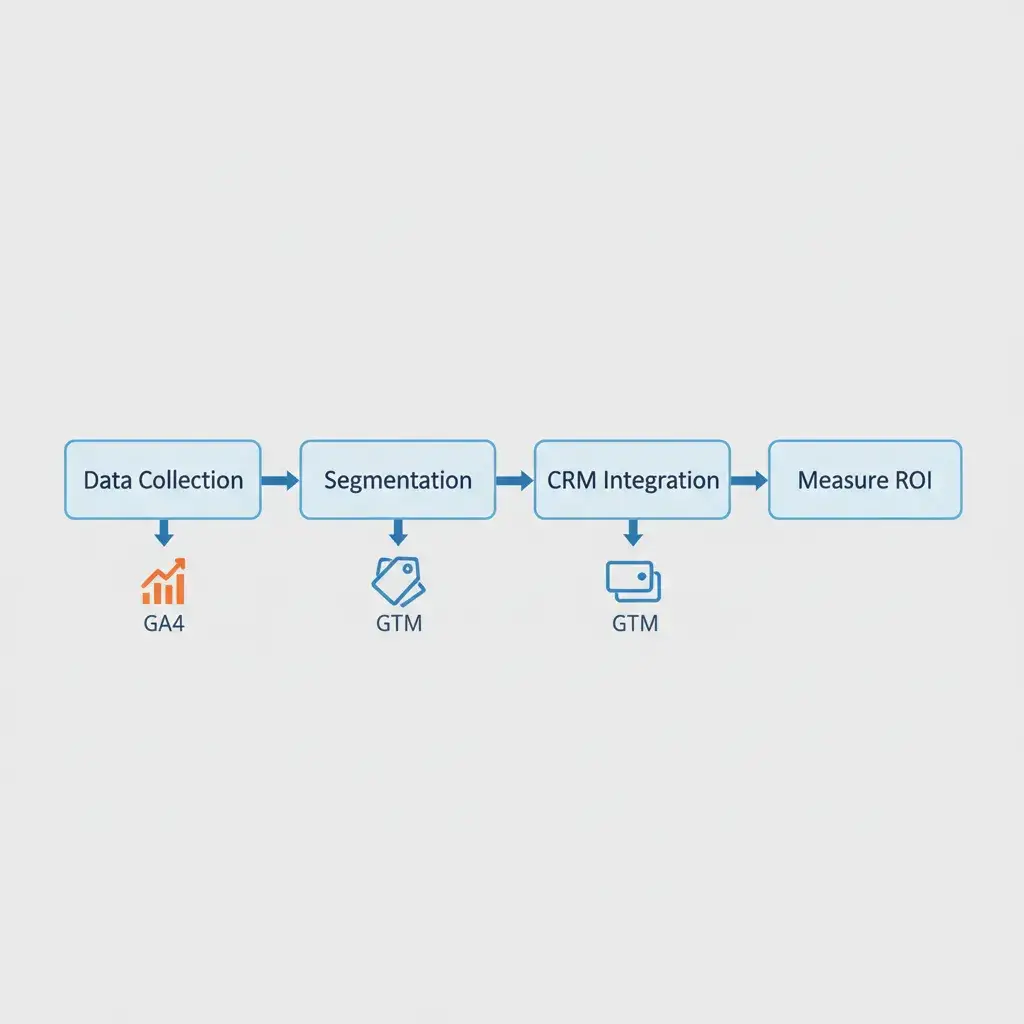
The transition to GA4 introduced a host of new possibilities for analytics, but it also brought a stark reality: relying solely on the GA4 user interface (UI) is a data strategy with an expiration date. By 2026, as third-party cookies fade completely, marketers and analysts will need direct, granular access to their first-party data like never before. This is where the GA4 BigQuery Export becomes not just a feature, but a core part of your analytics future. It’s the mechanism that streams your raw, unsampled Google Analytics 4 data directly into Google BigQuery, a powerful, scalable, and cost-effective data warehouse. This integration is crucial for building what we call a “Data Clean Room” a secure, controlled environment where you can store, process, and analyze your first-party data. Here, you can blend it with other sources to get deep, privacy-compliant insights. To truly master your data strategy, including a comprehensive guide to GA4 consulting and mastering generative engine optimization, understanding this export is non-negotiable.
⚡ Key Takeaways
- GA4 UI limitations in data retention and sampling make direct BigQuery export essential for historical analysis and true data completeness.
- Building a “Data Clean Room” with GA4 and BigQuery enables advanced analytics like custom LTV and multi-channel attribution, crucial for the cookieless future.
- Proactive setup, understanding the schema, and addressing historical data gaps now will future-proof your analytics strategy against evolving privacy landscapes and data restrictions.
The Impending Data Crisis: Why GA4 UI Alone Won’t Cut It in a Cookieless 2026
Imagine trying to make critical business decisions with only half the story, or worse, a story that changes every time you look. This isn’t just a hypothetical scenario; it’s the reality many businesses face by relying exclusively on the GA4 UI. While GA4 offers significant improvements over Universal Analytics, its standard interface has inherent limitations. These will become critical pain points as the analytics landscape continues to shift towards a privacy-centric, cookieless future. These limitations aren’t just minor inconveniences; they represent an impending data crisis for organizations that don’t proactively secure their raw data.
GA4’s Data Retention Defaults: A Ticking Time Bomb for Historical Analysis
One of the most significant yet often overlooked limitations of the GA4 UI is its default data retention settings. Out of the box, GA4 retains event-level data for a maximum of 14 months. For many businesses, this default is a ticking time bomb. How can you perform robust year-over-year comparisons, seasonal trend analysis, or long-term customer journey mapping if your data disappears after a little over a year? For e-commerce businesses tracking customer lifetime value (LTV) or subscription services analyzing churn over multiple years, 14 months is simply inadequate. You lose the ability to see how marketing changes impacted customer behavior over extended periods, making strategic planning less informed and more reactive. This limited retention means critical historical context vanishes, hindering your ability to understand long-term user behavior patterns and the true impact of your past initiatives. Relying on summarized reports in the UI only provides a snapshot; the underlying detail that would allow for deeper, segment-specific historical analysis is gone.
The Sampling Dilemma: When Your “Full” Data Isn’t Actually Full
Another major hurdle within the GA4 UI is data sampling. While GA4 aims to reduce sampling compared to its predecessor, it still occurs, particularly with custom reports or explorations involving large datasets. Data sampling happens when GA4 processes only a subset of your total data to generate reports, especially when queries exceed a certain complexity or volume threshold. The problem? Sampled data is not your complete data. It’s an estimate, an inference based on a fraction of your actual user interactions. For businesses making data-driven decisions, relying on sampled data is like navigating with a map where some roads are missing. You might get a general idea of the terrain, but crucial details for precision planning are absent. Small, niche user segments or specific conversion paths might be underrepresented or entirely missed in sampled reports, leading to flawed conclusions about campaign performance, user behavior, or product efficacy. When every dollar and every customer interaction matters, working with a compromised dataset is a risk too significant to ignore.
Beyond Basic Reports: Why Deeper Insights Demand Raw Data Access
The GA4 UI offers a suite of standard reports and customizable explorations, which are perfectly adequate for many day-to-day analytical tasks. However, its capabilities hit a ceiling when you need to answer complex business questions. Imagine trying to: join your web analytics data with CRM records to understand customer value across their entire lifecycle; build a custom multi-touch attribution model that reflects your unique sales funnel; or identify highly specific user segments based on a sequence of events across multiple sessions, combined with off-site data. These advanced analytical needs are often beyond the scope of any pre-built UI. The GA4 interface, by design, aggregates and summarizes data to present it in an easily consumable format. While convenient, this aggregation often masks the granular details required for true innovation. To move beyond surface-level observations and uncover the truly impactful insights that drive growth, raw, event-level data access is paramount. This is where the GA4 BigQuery Export bridges the gap, offering the flexibility to slice, dice, and combine data in any way you need, without the constraints of a predefined interface.
Building Your 1st-Party Data Clean Room: The GA4 + BigQuery Blueprint
So, you know the GA4 UI has its limits. What’s next? Building a robust solution that secures your data future. A “Data Clean Room” built upon the GA4 BigQuery Export provides this foundation. It’s not just about exporting data; it’s about establishing an environment where your first-party data is owned, controlled, and ready for sophisticated analysis, free from the constraints of third-party cookies or vendor-imposed limitations. This move gives you control over your data and gets your business ready for a world where privacy is king.
Setting Up the GA4 BigQuery Export: A Step-by-Step Technical Walkthrough
The technical setup of the GA4 BigQuery Export is straightforward, yet it’s a critical process that lays the groundwork for all future advanced analytics. This connection ensures a continuous stream of your raw event data, providing an invaluable asset for your organization.
Enabling the Export in GA4 Admin
1. Access GA4 Admin: Log into your Google Analytics 4 account and navigate to the “Admin” section (the gear icon on the left sidebar).
2. Locate BigQuery Linking: Under the “Property” column, find “BigQuery Linking” and click on it.
3. Link a Google Cloud Project: Click the “Link” button. You’ll be prompted to choose a Google Cloud Project. If you don’t have one, you’ll need to create one first in the Google Cloud Console. Ensure the project has billing enabled, as BigQuery usage incurs costs.
4. Configure Data Streams: Select the GA4 data streams you want to export. Most users will select “Web” and any relevant app streams. You can choose to export daily data and/or streaming data (which provides data within minutes). For a robust clean room, enabling both is recommended for freshness and historical completeness.
5. Confirm and Create: Review your settings and confirm. Once linked, data will begin flowing into BigQuery, typically within 24 hours for daily exports, and almost immediately for streaming data. GA4 creates a dataset named `analytics_` in your chosen BigQuery project.
Understanding the BigQuery Schema: Events, Users, and Timestamps
Once linked, your GA4 data appears in BigQuery in a well-defined schema. The core of this data resides in tables named `events_` (for daily exports) and `events_intraday_` (for streaming exports). Each row in these tables represents an individual event that occurred in your GA4 property. Key fields to understand include:
- `event_name`: The name of the event (e.g., `page_view`, `purchase`, `add_to_cart`).
- `event_timestamp`: The precise time the event occurred (in microseconds).
- `user_pseudo_id`: A unique, anonymous identifier for the user. This is crucial for tracking user journeys.
- `ga_session_id`: A unique identifier for a user’s session.
- `event_params`: A repeated, nested field containing additional parameters for each event. This is where most of your custom data lives. You’ll often need to unnest this field in SQL to access specific values like `page_location`, `page_title`, `item_id`, `value`, etc. (These are special fields that hold extra details about each event, like what page they saw or what items they clicked.)
- `user_properties`: Another repeated, nested field containing user-scoped properties.
- `device`, `geo`, `app_info`, `traffic_source`, `stream_id`: Fields providing context about the device, location, app, how the user arrived, and which data stream the event came from.
Navigating this nested schema requires some familiarity with SQL, particularly unnesting arrays and structs, but it offers unparalleled flexibility to query data at its most granular level.
Overcoming the Backfill Challenge: Strategies for Historical Data Integration
A common pain point for businesses adopting GA4 BigQuery Export is the inability to backfill historical GA4 data that existed *before* the BigQuery link was established. GA4 only exports data from the moment the linking is active onwards. This creates a gap for historical analysis. While a complete, granular backfill isn’t natively supported, there are strategies to mitigate this challenge:
- Manual Report Exports: For critical historical periods, you can manually export summarized reports from the GA4 UI (e.g., from Explorations or Standard Reports) as CSV or Google Sheets. While not event-level, these summaries can provide aggregated historical context when event-level data is unavailable. These can then be uploaded to BigQuery and joined with your raw data, keeping in mind the differing granularity.
- Prioritize Proactive Setup: The most effective solution is to set up your GA4 BigQuery Export as early as possible. This ensures that from day one of your GA4 implementation, your raw data is being preserved. The longer you wait, the larger the historical data gap becomes.
- Leverage Legacy Data (UA): If you have historical data in Universal Analytics, ensure that data is also preserved. While not directly compatible, it can serve as a separate historical baseline, offering insights into long-term trends before the GA4 transition.
The Data Moat: GA4 UI Limitations vs. BigQuery Export Capabilities
Building a data moat means creating a defensible competitive advantage through your data. The GA4 BigQuery Export is central to this, offering capabilities far beyond the standard UI.
Turn Your Data Into Revenue
Join 40+ innovative brands using Goodish to unlock the “Why” behind user behavior. From server-side tagging to advanced retention modeling—we handle the tech so you can handle the growth.
| Feature/Capability | GA4 UI (Standard Reports/Explorations) | GA4 BigQuery Export |
|---|---|---|
| Data Retention | Max 14 months (event-level) | Unlimited (controlled by your BigQuery retention policies) |
| Data Sampling | Can occur with complex queries/large datasets | No sampling; access to 100% raw event data |
| Historical Data Backfill | Not possible for pre-export data | Not possible for pre-export data (requires proactive setup) |
| Granularity | Aggregated reports, limited event detail | Raw, event-level data (every click, view, purchase) |
| Custom Dimensions/Metrics | Limited number of active custom dimensions/metrics (25 user-scoped, 50 event-scoped) | Unlimited custom event parameters accessible as nested fields |
| Data Freshness | Reports typically updated within hours | Daily export (within 24 hours), Streaming export (within minutes) |
| Custom Attribution Models | Limited to GA4’s predefined models | Build any custom attribution model using SQL |
| External Data Joins | Not possible within the UI | Join GA4 data with CRM, cost, offline data, etc. in BigQuery |
| User Journey Analysis | Limited to path exploration reports | Unlimited flexibility to map and analyze multi-step user journeys |
| Cost | Free | BigQuery storage & query processing costs apply |
SQL Recipes for a Zero-Cookie World: Getting Advanced Insights
Once your GA4 data is flowing into BigQuery, the real magic begins. You’re no longer confined to the pre-packaged reports and limited functionality of the GA4 UI. Instead, you gain the power to craft custom queries that answer the most pressing business questions, providing insights that are invaluable in a world increasingly reliant on first-party data. These SQL recipes aren’t just technical exercises; they are strategic tools for understanding your customers and optimizing your business in a post-cookie landscape.
Calculating True Lifetime Value (LTV) with BigQuery: A Custom SQL Approach
GA4 provides some LTV metrics, but they often rely on specific definitions and limited timeframes. With raw data in BigQuery, you can define and calculate LTV in a way that truly reflects your business model. You can include all revenue events, account for refunds, and extend the calculation across the entire customer history available in your BigQuery dataset. This allows for a more accurate and comprehensive understanding of customer value, crucial for segmenting high-value customers and optimizing acquisition strategies.
For example, you could write a query to:1. Identify all ‘purchase’ events for each `user_pseudo_id`.2. Aggregate the `value` parameter from these events.3. Calculate the sum of these values over the entire period of a user’s activity in your dataset.4. Optionally, join this with first-purchase date data to analyze LTV by acquisition cohort. This gives you a true LTV number, not just a projected one, and allows for segmentation based on actual spend over any desired timeframe. The flexibility to define “value” (e.g., gross revenue, net profit) and “lifetime” (e.g., 1 year, 3 years, all time) is entirely in your hands.
Multi-Channel Attribution Beyond GA4’s Defaults: Building Your Own Models
GA4 offers various attribution models (e.g., data-driven, last click). However, these might not perfectly align with the complexity of your customer journeys. In BigQuery, you can move beyond these defaults and build custom attribution models tailored to your specific marketing mix and business logic. For example, you might want to create a U-shaped model where the first and last touchpoints get more credit, or a time-decay model that gives more weight to recent interactions, or even a custom fractional model based on channel costs or perceived impact.
This involves identifying all `session_start` events, linking them to specific traffic sources, and then tracking the sequence of these sessions leading up to a conversion event (like `purchase`). By analyzing the path each `user_pseudo_id` takes across different `traffic_source` values, you can assign credit to different channels based on your chosen logic. This allows you to evaluate the true impact of channels that might not directly lead to the final conversion but play a significant role earlier in the funnel, helping you optimize budget allocation more effectively.
Identifying Key User Journeys and Behavioral Segments
Understanding how users navigate your website or app is fundamental to optimizing user experience and conversion rates. The GA4 UI provides some path exploration tools, but they can quickly become unwieldy for complex journeys or large datasets. In BigQuery, you can precisely define and analyze any user journey, no matter how intricate. You can identify common sequences of events, pinpoint drop-off points, and understand what behaviors lead to conversions or churn.
For instance, you can query for users who viewed a specific product page, then added it to their cart, but did not complete the purchase. This raw data allows you to create highly specific behavioral segments (e.g., “high-intent cart abandoners”) and then analyze their characteristics or retarget them with tailored campaigns. You can trace complete user paths by ordering events by `event_timestamp` for each `user_pseudo_id` and `ga_session_id`, allowing you to visualize and quantify the exact steps users take on your platform. This depth of understanding fuels personalized experiences and targeted interventions.
Maintaining Your Data Clean Room: Best Practices for Governance & Security
Building a Data Clean Room with GA4 and BigQuery is a significant step, but it’s not a set-it-and-forget-it task. Ongoing maintenance, governance, and security are crucial to ensure your data remains accurate, accessible, compliant, and cost-effective. A well-maintained clean room is a reliable asset; a neglected one can become a liability.
Data Freshness and Monitoring: Ensuring Data Integrity
Data is only valuable if it’s fresh and reliable. For your GA4 BigQuery Export, this means regularly monitoring the flow of data to ensure there are no interruptions or unexpected delays. Establish alerts for:
- Export Failures: Set up notifications in Google Cloud Monitoring for any issues with the GA4 BigQuery export process.
- Data Lag: Monitor the difference between the current time and the latest `event_timestamp` in your BigQuery tables. Significant delays could indicate a problem with the streaming or daily exports.
- Anomalies: Implement checks for sudden drops or spikes in event volume, which could signal tracking issues or data pipeline problems.
Regularly auditing your GA4 implementation and data quality in BigQuery will help maintain integrity. This includes verifying that key events are being captured correctly, event parameters are consistently populated, and no unexpected data formats appear. Think of it as regularly checking your pantry to ensure ingredients haven’t expired and are exactly what you expect.
Cost Optimization in BigQuery: Managing Your Analytics Budget
While BigQuery is cost-effective at scale, unchecked usage can lead to unexpected bills. Managing your BigQuery costs requires a proactive approach, especially with raw, event-level data streaming in constantly. The primary cost drivers are storage and query processing.
- Storage: BigQuery offers automatic long-term storage pricing (cheaper after 90 days of inactivity). Partitioning and clustering your tables are essential. Partitioning tables by date (which GA4 does automatically for daily tables) helps, but also consider partitioning by other high-cardinality fields if it aligns with common query patterns. For streaming data, you might implement processes to merge `intraday` tables into a partitioned daily table to reduce fragmentation and storage costs.
- Query Processing: This is typically the larger cost component. Best practices include:
- Select Specific Columns: Avoid `SELECT *`. Only query the columns you need.
- Filter Early: Use `WHERE` clauses to drastically reduce the amount of data scanned. Filtering by `_TABLE_SUFFIX` (for date-partitioned tables) is particularly effective for GA4 daily tables.
- Partitioning and Clustering: Ensure your tables are optimized. Queries that leverage partitions or clustered columns can dramatically reduce the amount of data processed.
- Query Previews: Always use the query validator to estimate data scanned before running large queries.
- Scheduled Queries: For frequently run reports, create scheduled queries to save results in new tables, reducing repeated processing costs.
Regularly review your BigQuery billing reports in the Google Cloud Console. Identify top query spenders and investigate opportunities for optimization. Goodish Agency often helps clients set up these cost-saving measures, ensuring their analytics infrastructure is both powerful and financially responsible.
Future-Proofing Your Analytics: Preparing for the Post-Cookie Era with 1st-Party Data
The year 2026 isn’t far off. The shift away from third-party cookies represents one of the most significant transformations in digital marketing history. Those who adapt now, by embracing 1st-party data solutions like the GA4 BigQuery Export, will gain a significant competitive edge. Those who don’t risk being left behind, struggling to understand their customers and measure their marketing effectiveness.
The Strategic Advantage of Raw Data Ownership
Owning your raw, first-party data in a BigQuery Data Clean Room provides an unparalleled strategic advantage. It means you are no longer beholden to the limitations, defaults, or product roadmaps of a single vendor’s UI. You gain:
- Complete Control: Full control over your data retention policies, processing, and transformation.
- Unrestricted Analysis: The ability to conduct any analysis your business needs, limited only by your data science capabilities, not by interface restrictions.
- True Data Blend: Seamlessly integrate GA4 data with CRM, CDP, offline sales, advertising cost data, and other critical business datasets to create a unified view of your customer.
- Agility & Adaptability: The flexibility to adapt your analytics to evolving privacy regulations (like CCPA, GDPR) or new business requirements without waiting for platform updates.
This ownership allows for a deeper understanding of your customers, fostering innovation in personalization, product development, and marketing strategies that are resilient to external market shifts.
Beyond 2026: Adapting to Evolving Privacy Landscapes
The move to a cookieless world is just one step in a larger trend towards greater user privacy and data control. Regulators and consumers alike are demanding more transparency and accountability from businesses regarding data handling. Building a Data Clean Room with GA4 and BigQuery positions your organization to navigate these evolving landscapes.
By having your raw data, you can implement robust consent management processes, anonymize data at the source when necessary, and ensure compliance with various global privacy regulations. It enables you to build privacy-first analytics solutions from the ground up, moving away from reliance on potentially fragile third-party identifiers to a more sustainable, consent-driven approach using aggregated and modeled first-party insights. This isn’t just about compliance; it’s about building trust with your customers and future-proofing your business model for long-term success in a privacy-centric digital world.
Final Verdict
The GA4 BigQuery Export isn’t merely an optional extra; it is a strategic imperative for any business serious about thriving in the post-cookie era. Building your 1st-Party Data Clean Room now, leveraging the power of GA4’s raw data in BigQuery, moves your analytics from reactive to proactive. It provides the depth, flexibility, and ownership necessary to truly understand your customers, optimize your marketing efforts, and build a resilient data infrastructure that stands the test of time and ever-evolving privacy landscapes. Don’t wait until 2026 to realize the limitations of partial data; secure your complete data story today.